
Manage the Full Media Asset Lifecycle
Proxima manages the entire media pipeline from the moment content arrives — from ingest and transcoding to storage, analysis, and distribution — all in one system developed through GEMISO's own R&D.
In production at broadcast networks and government agencies across Asia and beyond
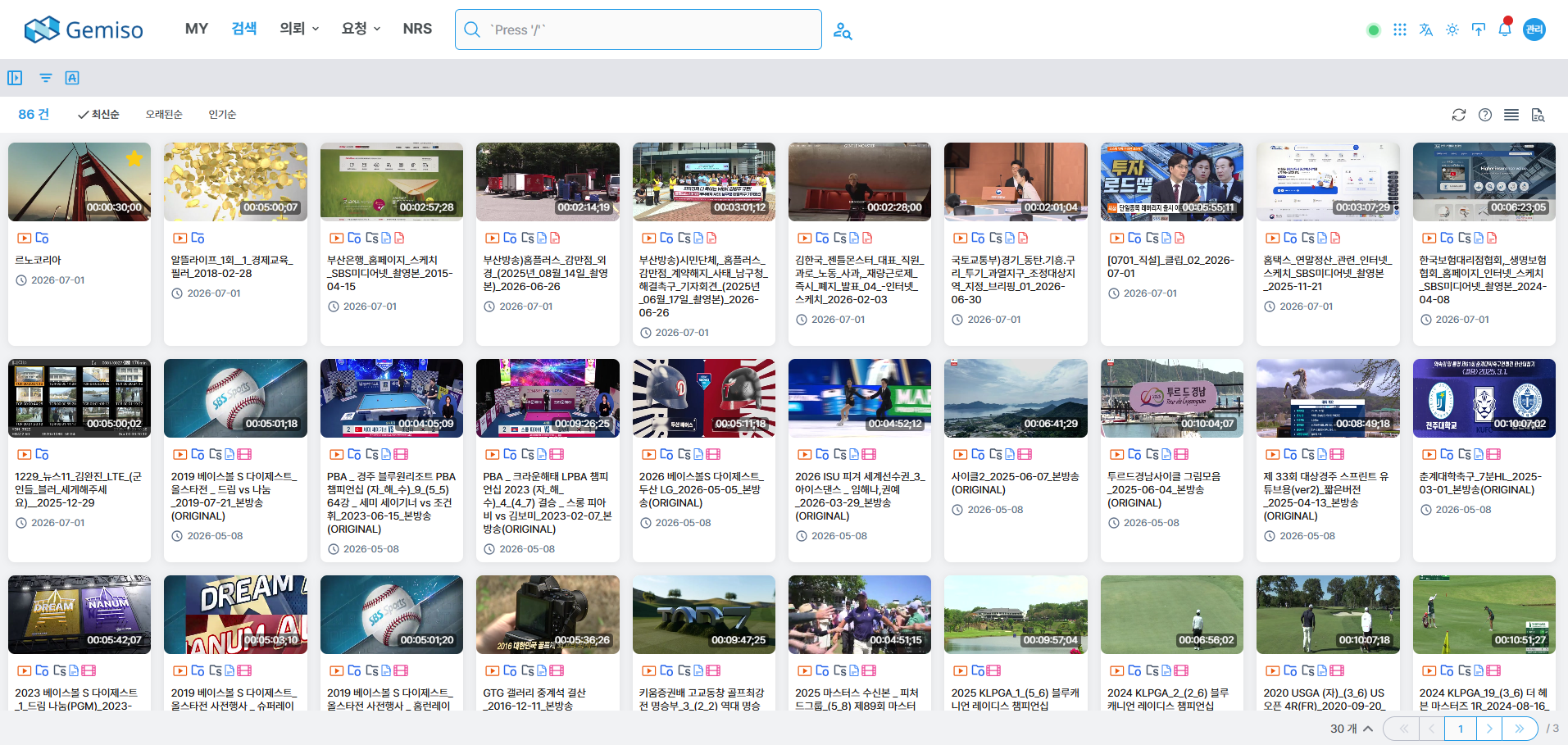
Everything You Need for Media Asset Management
Versatile Media Ingest
Supports multiple ingest paths — video servers, DeckLink IO boards, file ingest, and automated watch-folder monitoring.
Automatic Proxy Transcoding
Automatically generates high-compression, low-resolution proxies for lightweight preview anywhere, with GPU acceleration to cut transcoding time.
Automatic Cataloging
Detects scene changes to extract key frames and storyboards, and attaches metadata at the segment level.
Web-Based Unified Search
Find assets in a web interface as intuitive as a search engine, then double-click to play or edit instantly. No installation required.
Dynamic Metadata Schema
Administrators define content types and metadata to fit each site, and new fields become searchable the moment they are added.
Native NLE Integration
Plugins for Adobe Premiere, Final Cut Pro, and EDIUS send finished edits straight into the MAM.
AI Analysis Integration
AIConnects to GEMISO's MAIA AI to analyze video and generate captions and metadata from STT and object recognition.
Secure Storage & Archive
Archives to LTO and ODA via the LTFS-based IMArchive, and reduces ransomware risk with object storage.
Six stages, one Proxima
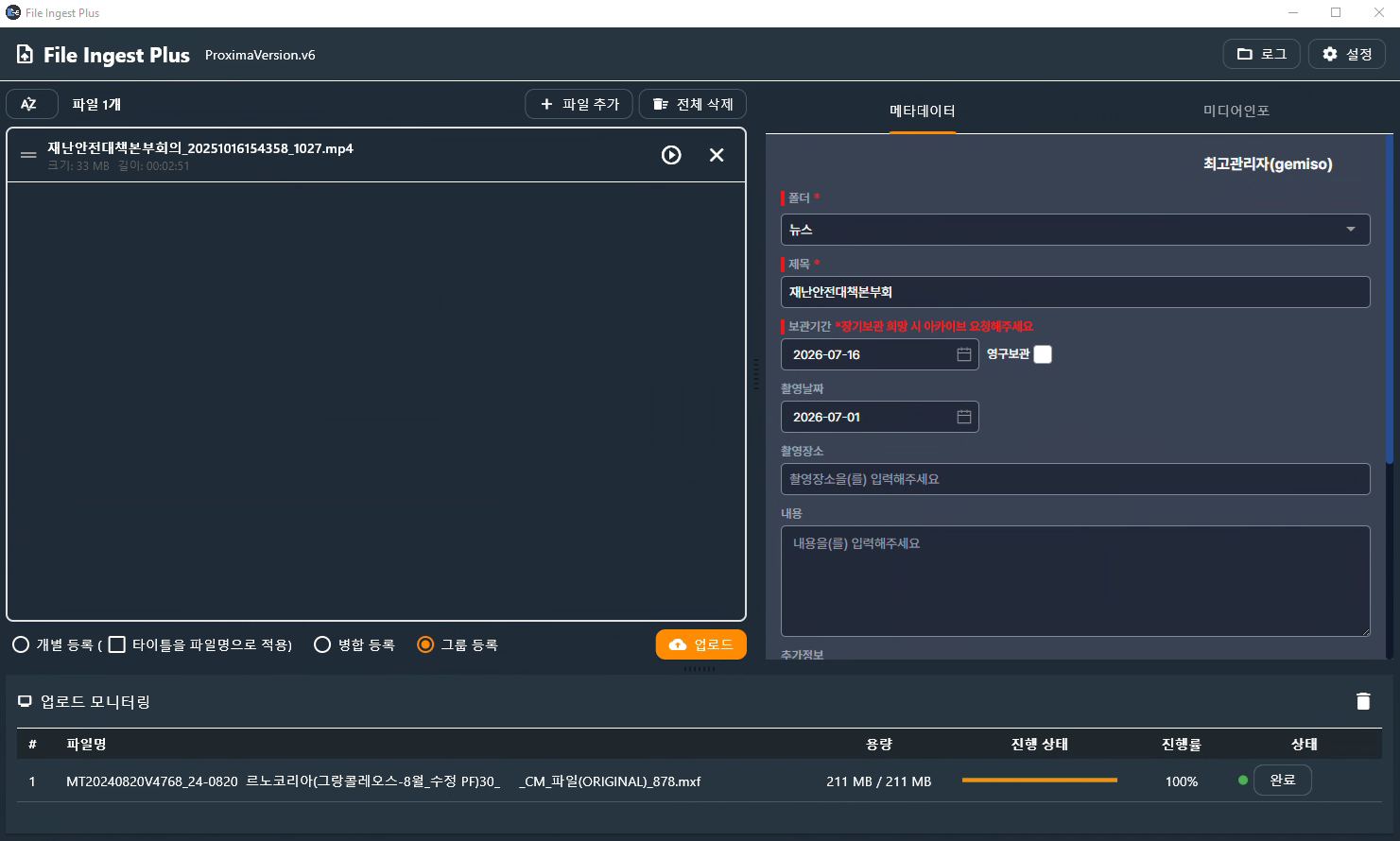
Media Ingest
Media IngestThe workflow begins the moment media arrives. Proxima takes in media through every path — video servers, files, and automated watch folders.
- 01Versatile ingest modules
supports commercial video servers, DeckLink IO boards, file ingest, and automated watch-folder monitoring. - 02Timeline-based ingest
monitor recordings in progress in real time on a timeline view. - 03Ingest automation
detects files arriving in watch folders and triggers the ingest workflow automatically.
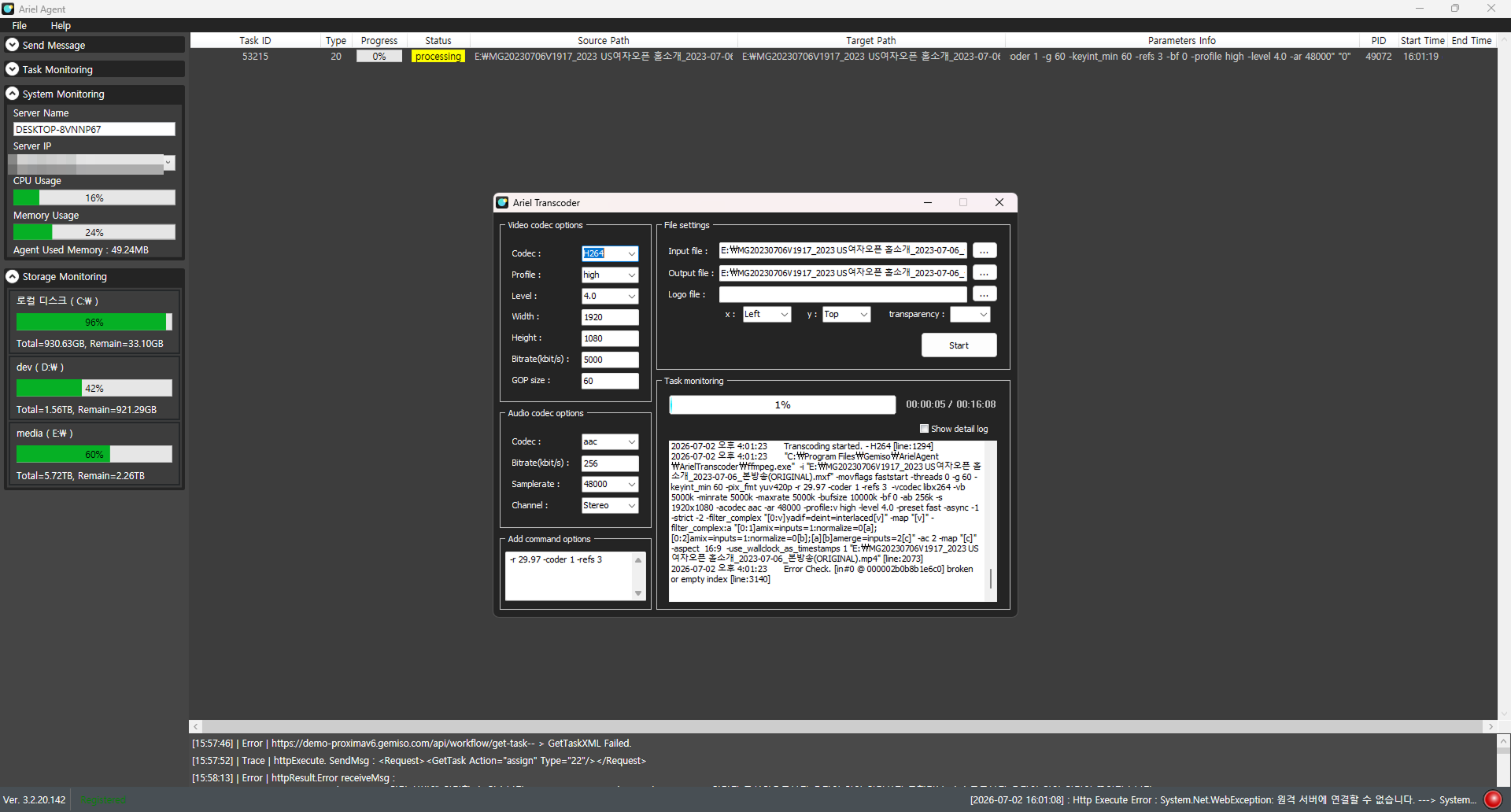
Proxy & Transcoding
Proxy & TranscodingFull-resolution masters are too large to play smoothly in a browser and strain the network. The automatic transcoder creates high-compression, low-resolution proxies for lightweight preview anywhere.
- 01Automatic proxy generation
creates a proxy for one hour of video in under 10 minutes. - 02GPU acceleration
speeds up transcoding 7 to 12 times on AMD EPYC, Intel Xeon, and NVIDIA GPU environments, cutting the time to 5–9 minutes. - 03Format conversion
converts a wide range of source formats into broadcast and distribution formats.
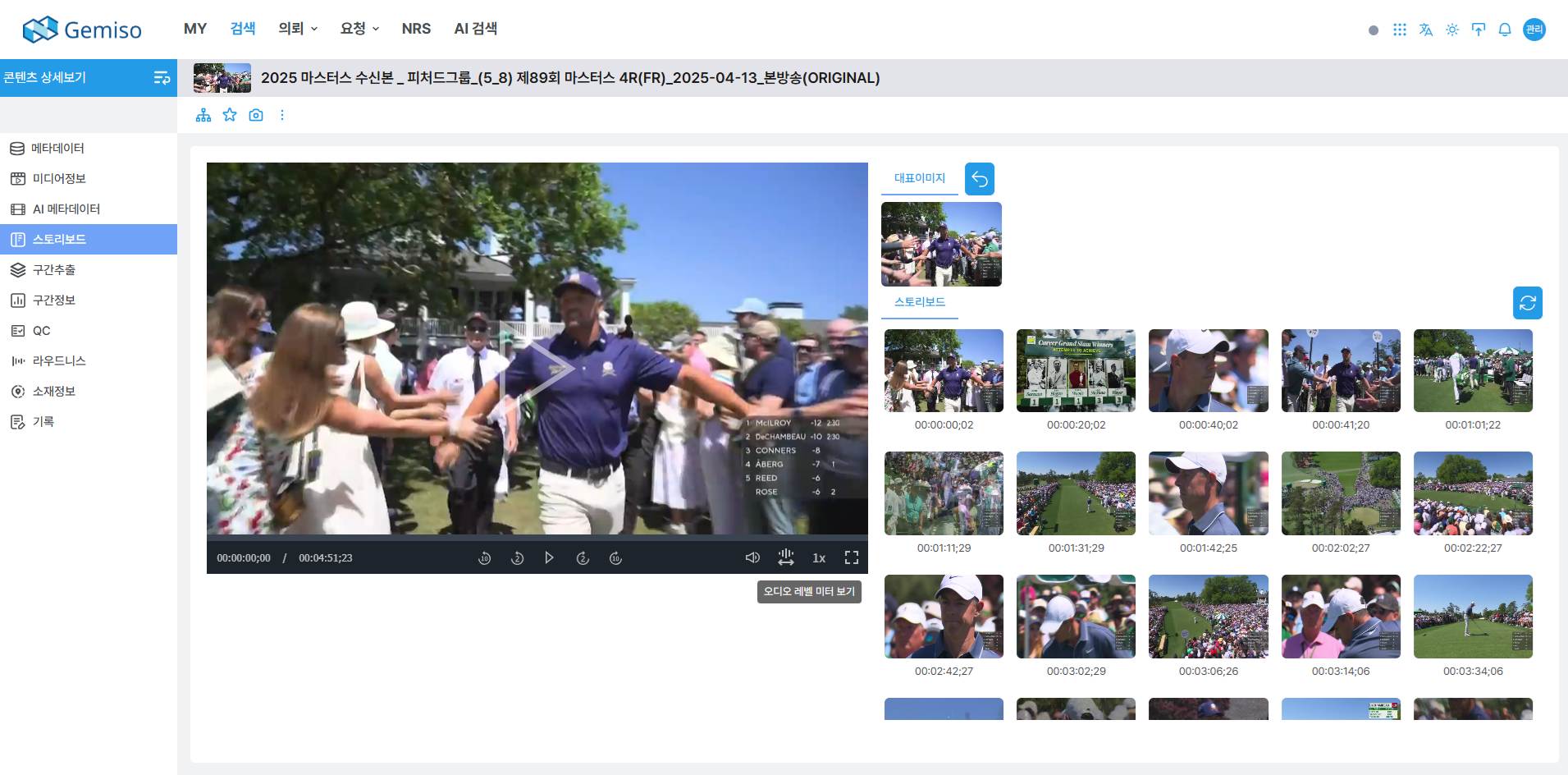
Cataloging
CatalogingAutomatically detects scene changes to structure video, and attaches metadata to each segment — turning footage into searchable assets.
- 01Scene change detection & key frames
extracts key frames at scene changes or set intervals to build storyboards. - 02Segment metadata
enter and manage metadata at the scene-segment level. - 03Automated AI analysis
analyzes video with Google and Amazon Vision AI to generate metadata automatically.
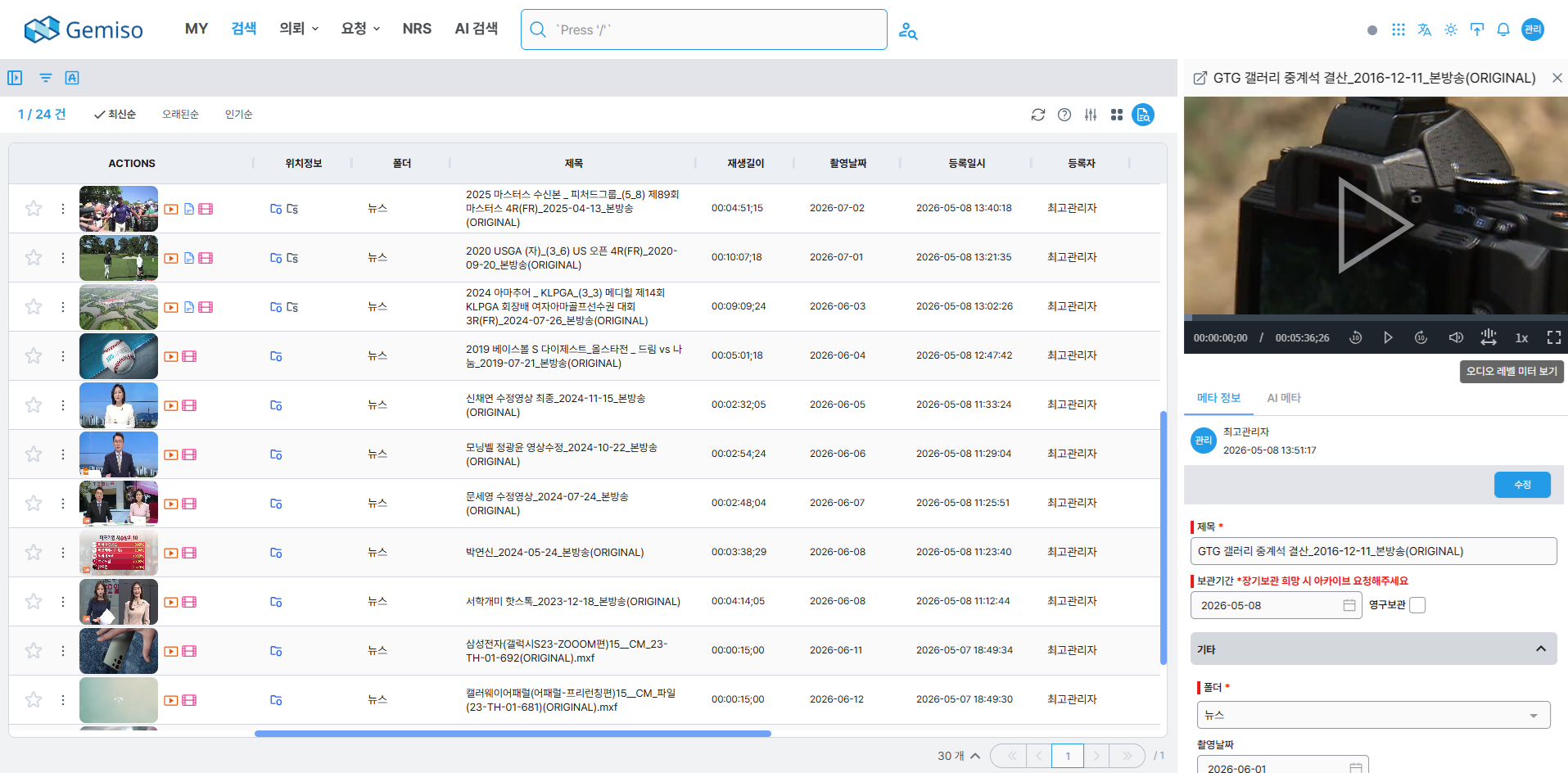
Search & Metadata
Search & MetadataFind assets in a web interface as intuitive as any search engine. Proxima shipped as a web browser-based MAM back in 2006, years ahead of the field.
- 01Web-based search
double-click a result to play it instantly, then view and edit its metadata. - 02Dynamic metadata schema
administrators define field types such as text, tree, checkbox, date, and number, and new fields become searchable immediately. - 03No installation
runs in standard browsers (Chrome, Firefox, Safari, Edge) on Windows, macOS, and Linux alike.
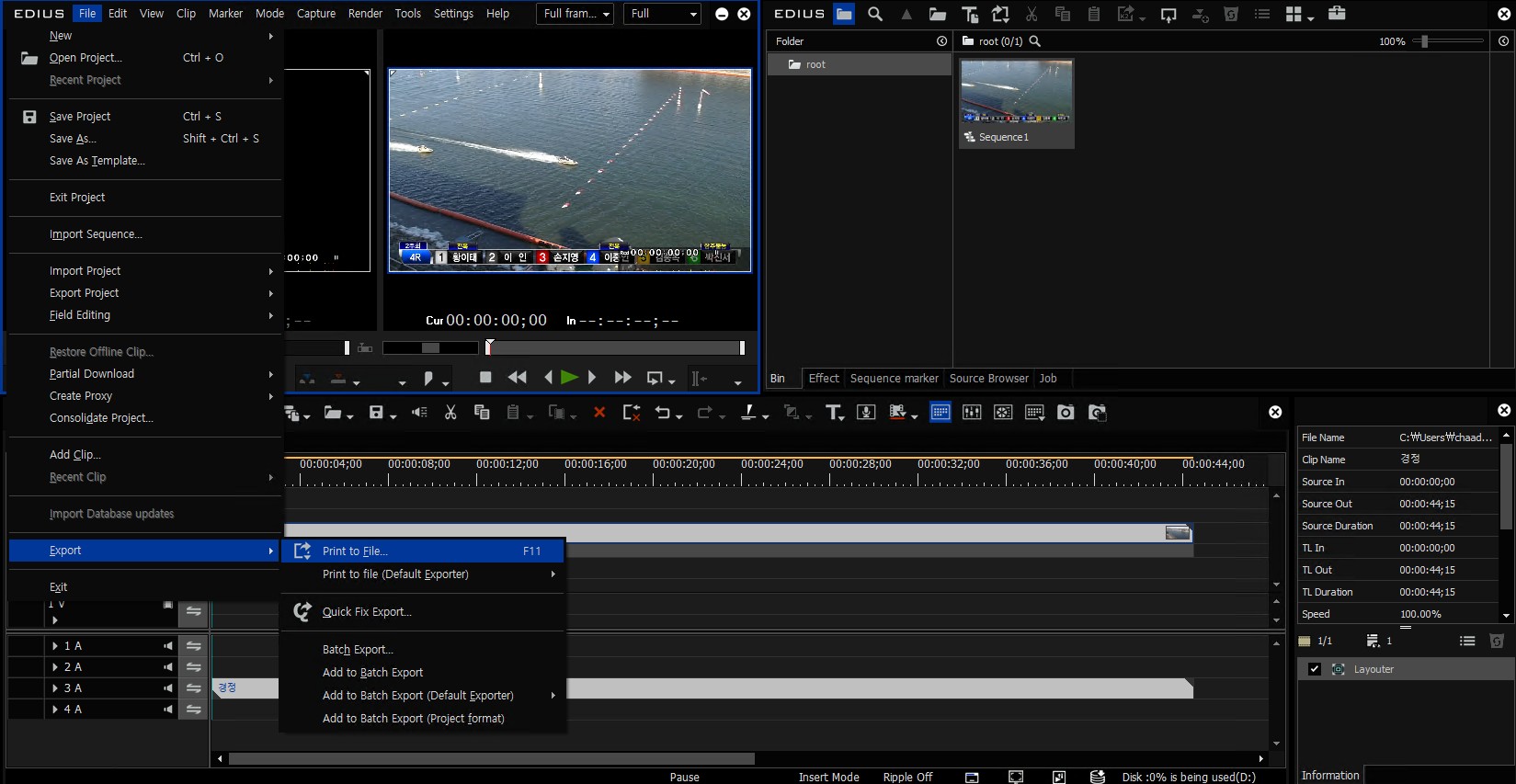
Production Integration
NLE IntegrationPlugins for the major editing systems send finished edits straight into the MAM — no separate tools required.
- 01NLE plugins
available for Adobe Premiere, Apple Final Cut Pro, and Grass Valley EDIUS. - 02Custom panels
search MAM assets and upload finished cuts directly from the editing panel. - 03File-based workflow
exchange media with editing systems seamlessly at the file level.
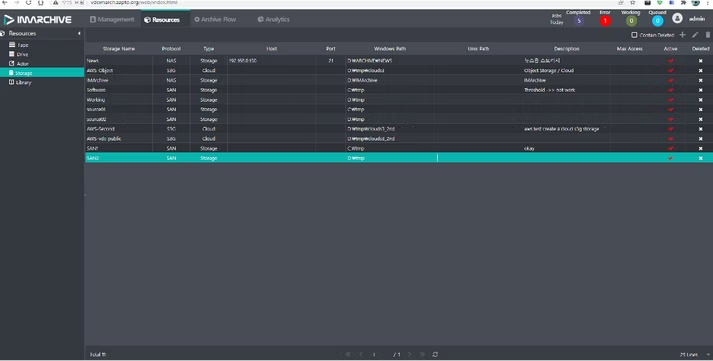
Archive & Storage
Archive & StorageKeep media safe for the long term. The LTFS-based IMArchive writes to tape, while workflows automate storage tiering and backup.
- 01IMArchive
archives to LTO and ODA on an LTFS foundation, with checksum verification, a RESTful API, and integration with third-party solutions (DIVArchive, StorNext, BlackPearl). - 02Broad storage support
works with NAS, SAN, and iSCSI file storage plus AWS S3 and object storage, reducing ransomware risk with object storage. - 03Automated backup & access control
automates backups through workflows and governs access with Active Directory and Open Directory.
One Seamless Workflow
Proven Technology, Measured Results
The Entire Media Lifecycle as One
Newsroom
From Planning to Playout, All in One Newsroom
Learn MoreTALOSAutomated Playout
Always-On Automated Playout
Learn MoreGEMISO RADIO LIVERadio
Audio File System for Radio Operations
Learn MoreMAIAAI Technology
The AI engine suite built for broadcast
Learn MoreSTRATOSContent Archive
The content you need, the moment you need it
Learn MoreNEXUSContent Distribution
One piece of content, every channel
Learn MoreEvaluating Proxima?
Tell us about your broadcast workflow and our team will design how Media Asset Management fits into it, together with you.