From Planning to Playout, All in One Newsroom
Zodiac manages the full TV news production workflow in a single system — from planning and reporting to script writing, rundown creation, and playout automation. Across desktop and mobile, it keeps every step connected through to on-air.
Deployed at MBC, YTN, KTV, TBS, cpbc, Arirang TV, and more
Everything You Need for Newsroom
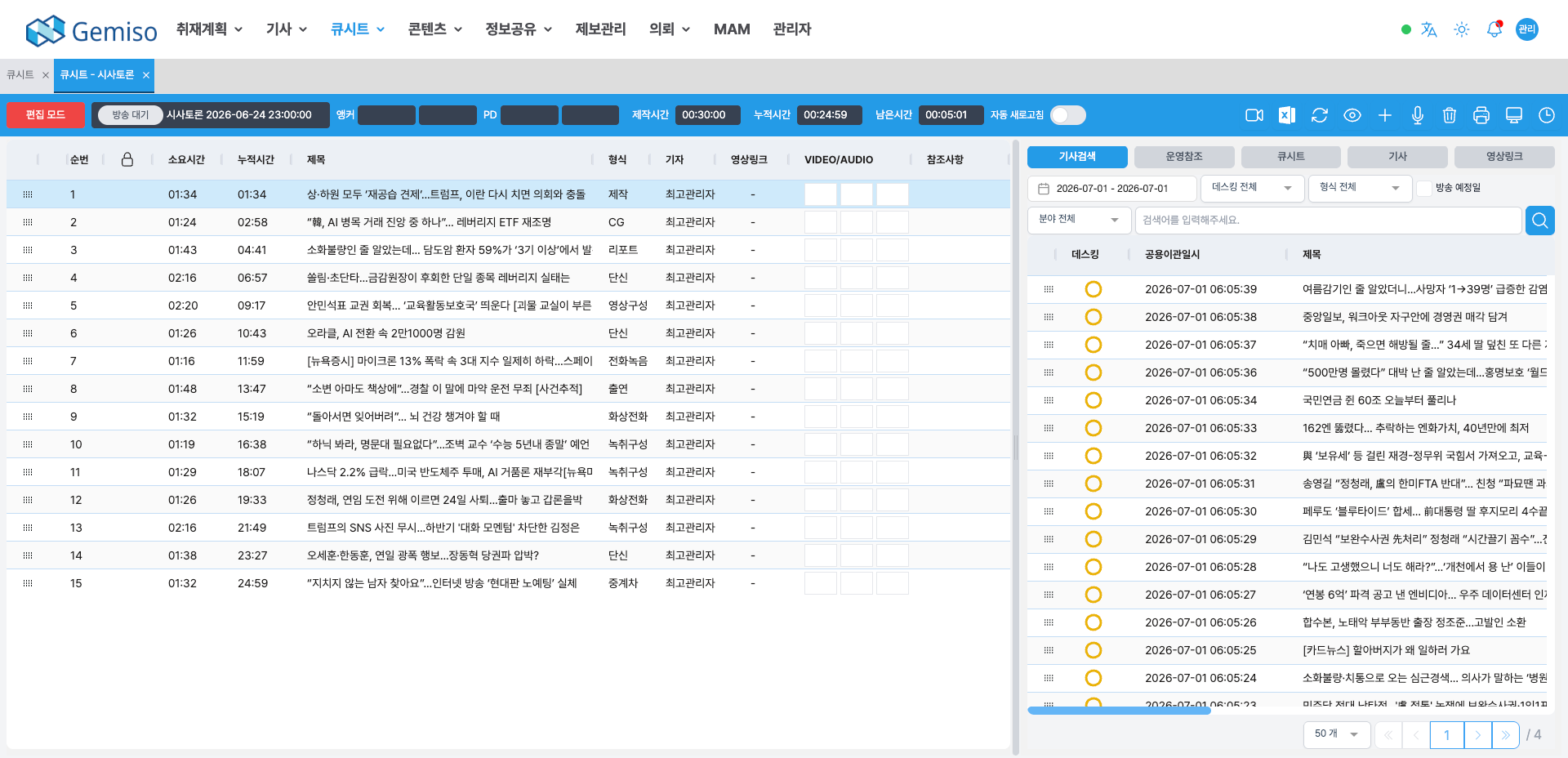
News Planning & Issue Management
Organize and prioritize daily issues, carry them through planning, coverage, and story stages, and manage assignment and vehicle schedules alongside.
Story Writing & Desk Approval
Supports story types from standard to breaking news, automatically estimates run time from story length, and handles desk approval.
Rundown
Drag stories into place, reorder them, and see running time and item counts tallied in real time.
Video & Graphics Integration
Search and preview video and graphics in the MAM, request edits, and map finished material to stories.
Playout Automation
Controls video servers, CG, and prompters to take the rundown to air exactly as built, reflecting rundown changes in real time.
Mobile Newsroom
Reporters in the field write and manage stories, search video, and check rundowns from their phones.
AI Analysis Integration
AIConnects to GEMISO's MAIA AI to analyze video and generate captions and metadata from STT and object recognition.
Five stages, one Zodiac
News Planning
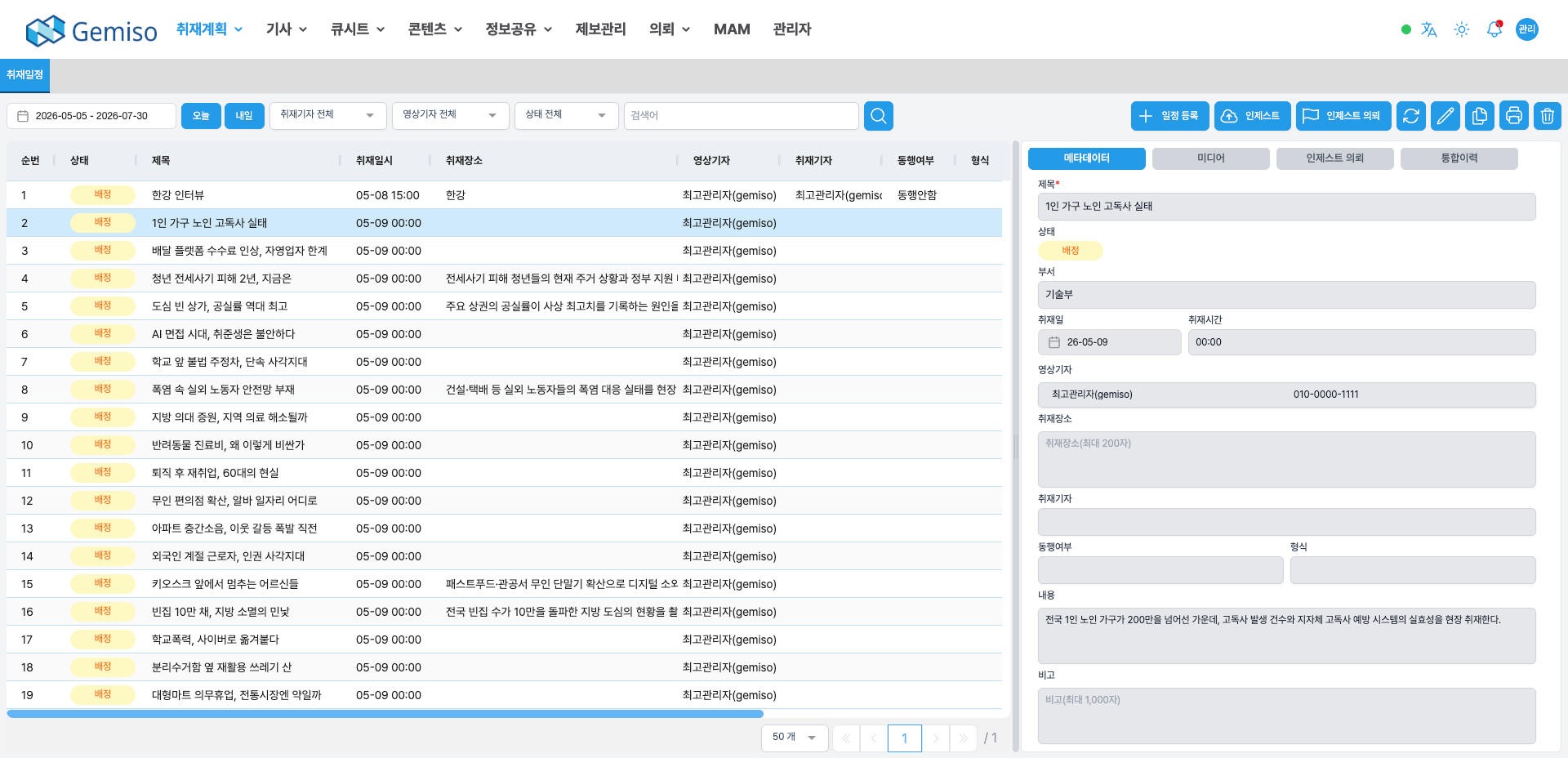
News PlanningThe planning stage: organize daily issues, review incoming tips, and build the coverage schedule. Selected issues and content plans convert directly into stories.
- 01Issue management
create, search, and prioritize daily issue lists for use across planning, coverage, and story stages. - 02Expired issue handling
issues past their deadline are automatically retired from the planning stage. - 03Coverage & vehicle scheduling
assign camera crews and dispatch and manage news vehicles by time period.
Story Management & Writing
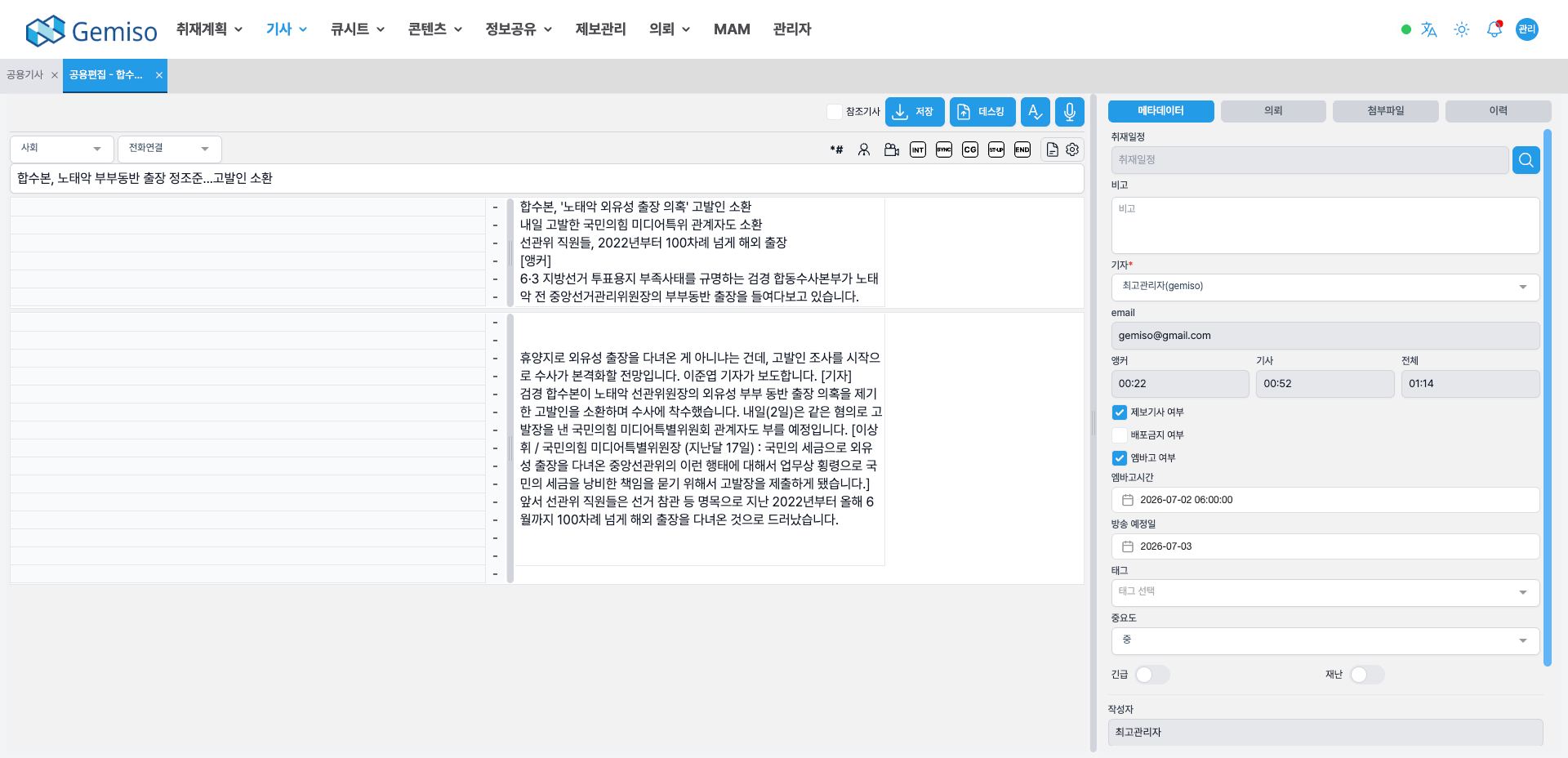
Article ManagementThe story management stage: write stories and scripts in a standard editor, attach video and graphics, and carry them through desk approval.
- 01Multiple story types
supports standard and breaking news, with embargo settings, automatic run-time estimation from story length, and keyboard-shortcut writing. - 02Story locking
prevents conflicting edits when multiple users open the same story, and locks held by unresponsive editors can be released. - 03Video & graphics integration
search and preview MAM assets, request edits via EDL, and map finished material to stories.
Rundown Building & Editing
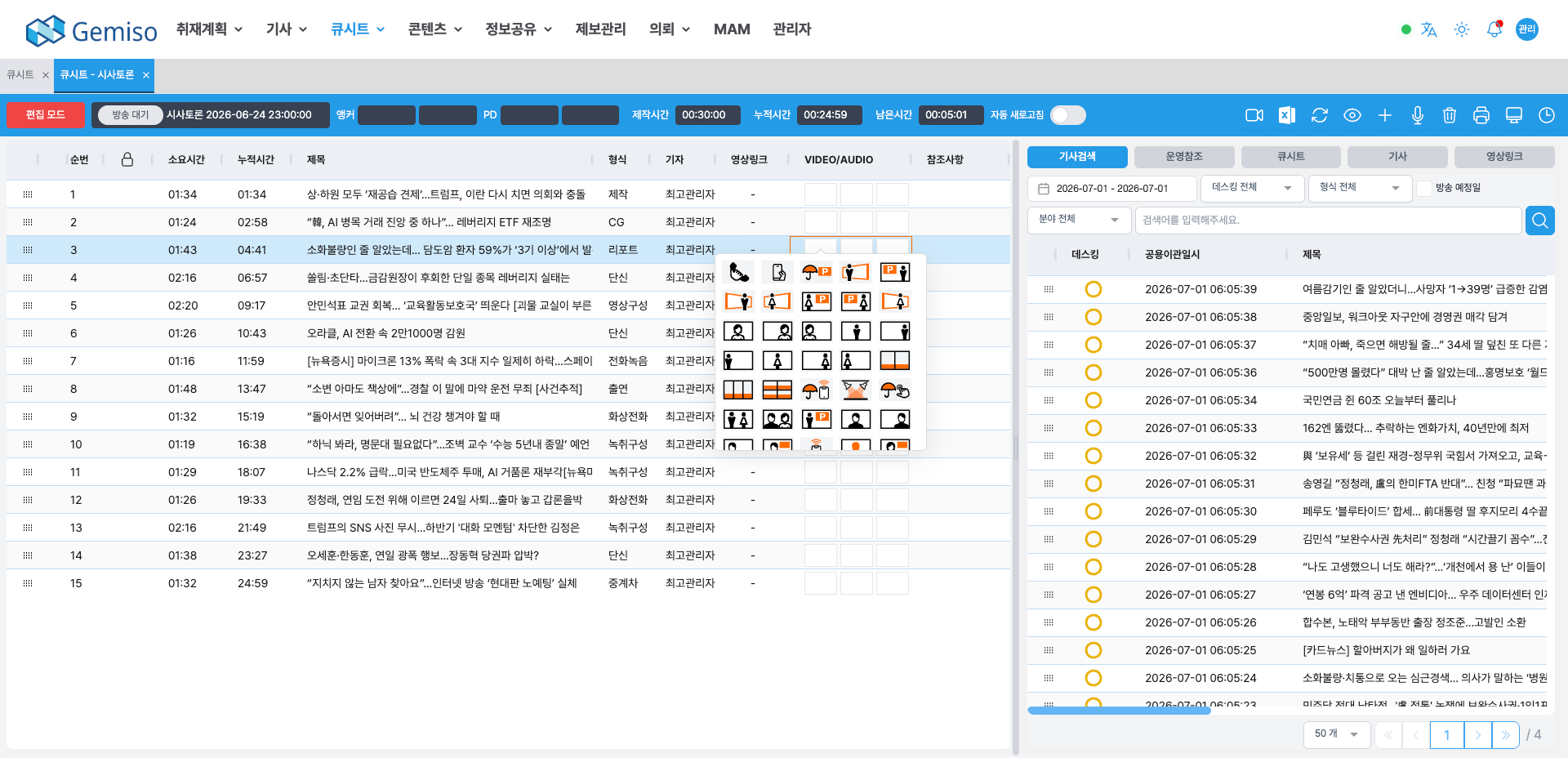
Cuesheet & RundownThe rundown stage: drag stories into place to build the rundown, with running time and item counts tallied in real time.
- 01Drag-and-drop building
drag stories into position, reorder them, and watch duration and item counts update in real time. - 02Scheduling integration (BIS)
manage master, weekly, and daily schedules, and build the newscast against the confirmed daily schedule. - 03Mobile rundown
check rundowns in mobile Zodiac (creation and changes are primarily on PC).
News Playout Automation
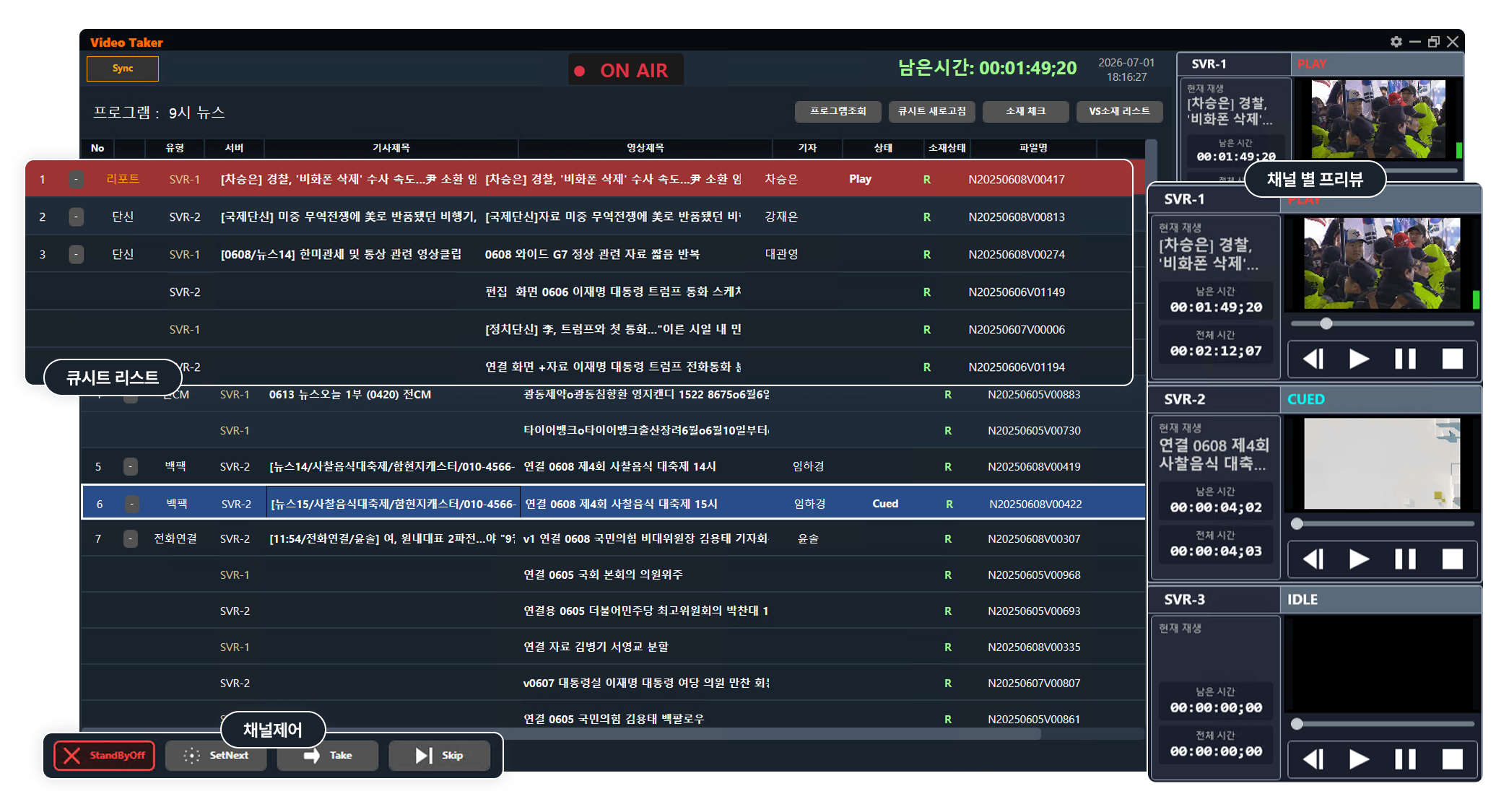
Broadcast AutomationThe playout automation stage: takes the rundown and controls video servers, CG, and prompters to put stories on air in order, reflecting rundown changes in real time.
- 01Video playout (Video Taker)
controls Harmonic, Imagine, and GrassValley K2 (VDCP) video servers for playback and preview, and handles last-minute running-order changes. - 02CG playout (CG Taker)
automatically builds a caption rundown from story captions and links it to on-air templates (Visual Research, Compix, and more). - 03Prompter & MOS integration
streams rundown and story content to the prompter in real time, and connects to external systems over the MOS protocol.
Mobile Newsroom
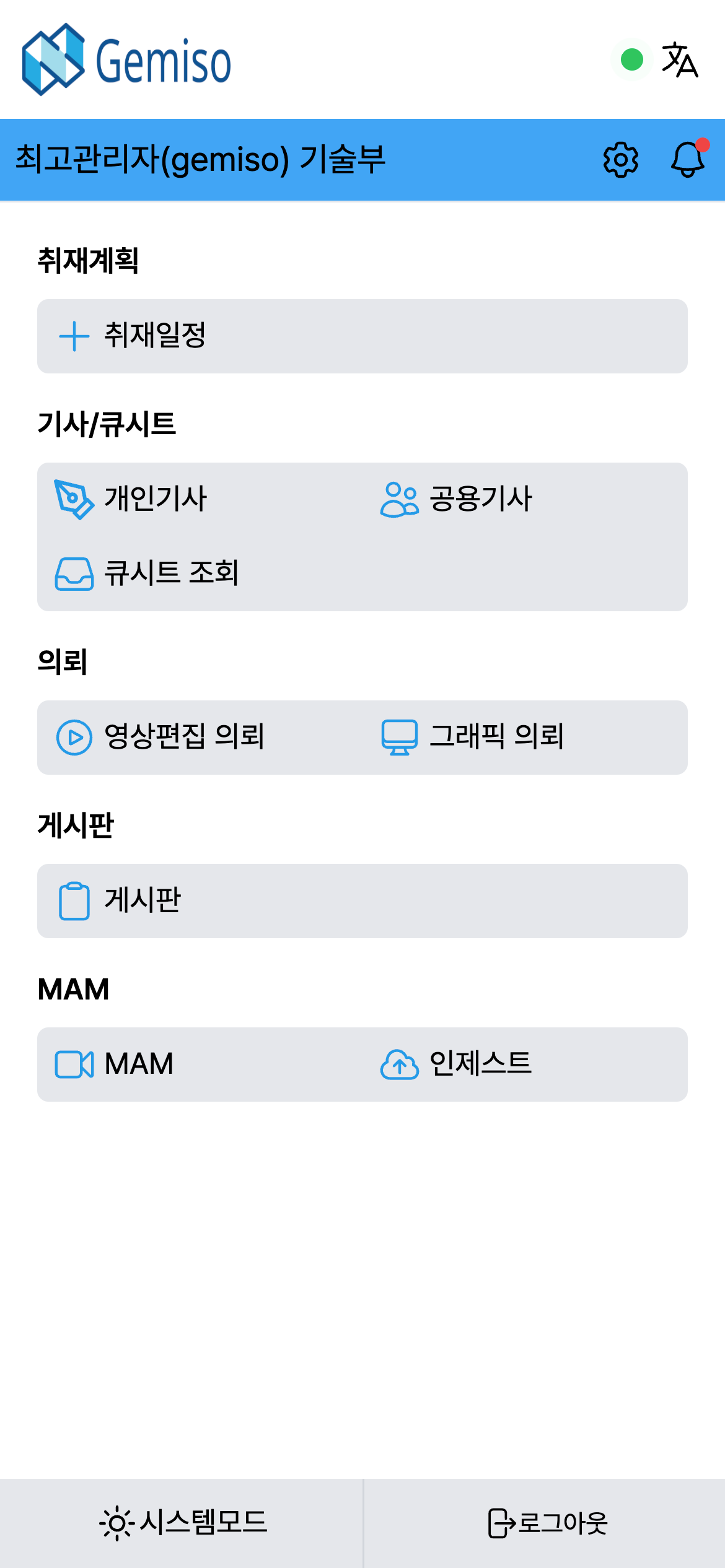
Mobile NewsroomA mobile system that delivers the same news production capabilities as the PC — anytime, anywhere.
- 01Mobile-first UI
a dedicated mobile interface with icons and color coding for at-a-glance readability. - 02Story writing & video search
write and manage stories in the field and search for the footage you need. - 03Cross-platform
supports both Android and iOS.
One Seamless Workflow
Proven Technology, Measured Results
The Entire Media Lifecycle as One
Media Asset Management
Manage the Full Media Asset Lifecycle
Learn MoreTALOSAutomated Playout
Always-On Automated Playout
Learn MoreGEMISO RADIO LIVERadio
Audio File System for Radio Operations
Learn MoreMAIAAI Technology
The AI engine suite built for broadcast
Learn MoreSTRATOSContent Archive
The content you need, the moment you need it
Learn MoreNEXUSContent Distribution
One piece of content, every channel
Learn MoreEvaluating Zodiac?
Tell us about your broadcast workflow and our team will design how Newsroom fits into it, together with you.